
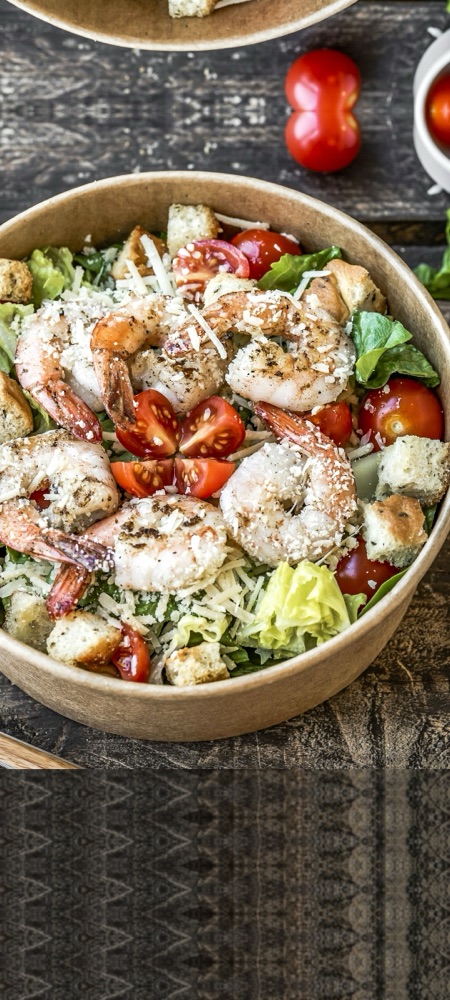
Restaurant meals
Pizza, pasta, tacos. One photo logs the whole plate.
Cal.AI is the AI-powered calorie counter that makes tracking effortless. Snap a photo, scan a barcode or search any food and get calories, protein, carbs and fat in seconds. Stay on track with a plan built for your goal.


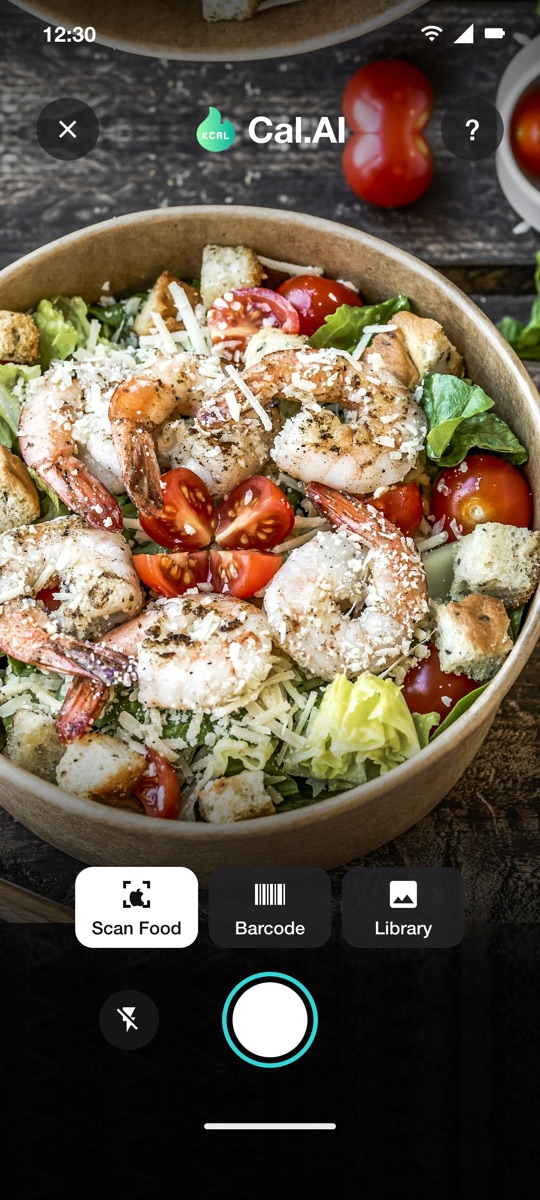
Pizza, pasta, tacos. One photo logs the whole plate.
The AI separates greens, protein, toppings and dressing.
Scan the barcode and the nutrition label fills itself in.
Search or type your recipe once and save it for next time.
Burgers, fries, wraps. Portions are estimated from the photo.
Coffee, shakes, juice. Yes, those calories count too.
Point, shoot, done. One photo logs a whole plate with calories, protein, carbs and fat for every item.
Rename the food, swap an ingredient or change the portion when the AI guesses wrong. Totals update instantly.
Scan packaged foods and drinks, search a large nutrition database, or type a quick manual entry.
A short setup learns your goal, pace, activity and body stats, then sets daily calorie and macro targets with a projected goal date.
Carb cycling that shifts carbs across the week while keeping your weekly total on track.
Daily diary with a week strip, weight trend, calorie and macro charts, BMI, meal reminders and metric or imperial units.
Cal.AI is the calorie tracker that fits into your day.
Cal.AI automatically calculates your calories, protein, carbs and fat from a photo. No more searching databases, weighing every bite or doing the math yourself. Add your own foods and recipes once and reuse them.
No scanner is perfect, so Cal.AI makes corrections effortless. Tap any item to rename it, swap an ingredient or adjust the portion. Scan a barcode when you want the exact label values.
Your targets are built on the Mifflin-St Jeor formula from your goal, pace and activity level. Watch your weight trend, see your projected goal date move and let Pro's carb cycling do the planning.
The Cal.AI Apple Watch app shows today's calories left, your macros and the last 3 days at a glance. No phone needed between meals.
New features ship every few weeks :)
Open the camera and take a photo of your meal. Scan a barcode for packaged food, or search the database and add it by hand.
Cal.AI lists every item with calories, protein, carbs and fat. Tap Fix Results to correct a food or adjust the portion before you save.
Your diary, calories left and macro rings update instantly. Insights show your weight trend and how close you are to your goal date.
Reviewer name
"Paste a real App Store or Google Play review here. Keep it short and specific."
Reviewer name
"Paste a real review here."
Reviewer name
"Paste a real review here."
The questions our support inbox hears most.
Cal.AI identifies the foods in your photo, estimates portion sizes and returns calories, protein, carbs and fat for each item. Estimates from a photo are approximate, so a few habits make a big difference:
Tip: for packaged foods, scan the barcode. Cal.AI then uses the label values instead of an estimate.
Yes. Cal.AI is free to download and includes free AI scans, the barcode scanner, food search, a personalized calorie plan and progress charts.
Cal.AI Pro is an optional auto-renewing subscription that unlocks unlimited AI scans, deeper analysis and the Smart Diet Plan. See pricing for current plans.
You can't cancel from inside the app. Subscriptions are managed by Apple or Google:
Heads up: deleting the app does not cancel your subscription. You'll keep being charged until you cancel through Settings or Google Play.
Yes, on iPhone. The Apple Watch app shows today's calories left, your macros and the last 3 days. If you connect Apple Health, Cal.AI reads your active energy, steps and weight, and you choose whether burned calories are added to your daily budget.
Health data is only read, never written back, sold or used for advertising. Details are in the privacy policy.
Refunds are handled by the store that charged you:
Tip: not sure where you bought it? Check your email for the receipt. It will say either Apple or Google.
Tap Fix Results on the result screen. You can rename the food, swap ingredients or change the portion, and the calories and macros recalculate. If a scan is still far off after updating to the latest version, email us a screenshot and we'll dig in.
Available in English, Deutsch, Français, Italiano, Español, Português, 日本語, 한국어, Tiếng Việt and العربية.
Free to download. Pro is optional and you can cancel anytime.
Get Cal.AI freeWorks on iPhone, Apple Watch and Android.